Website accessibility checklist: comply and boost ecommerce sales
TL;DR:
- UK ecommerce sites often abandon customers due to inaccessibility, risking revenue and legal action.
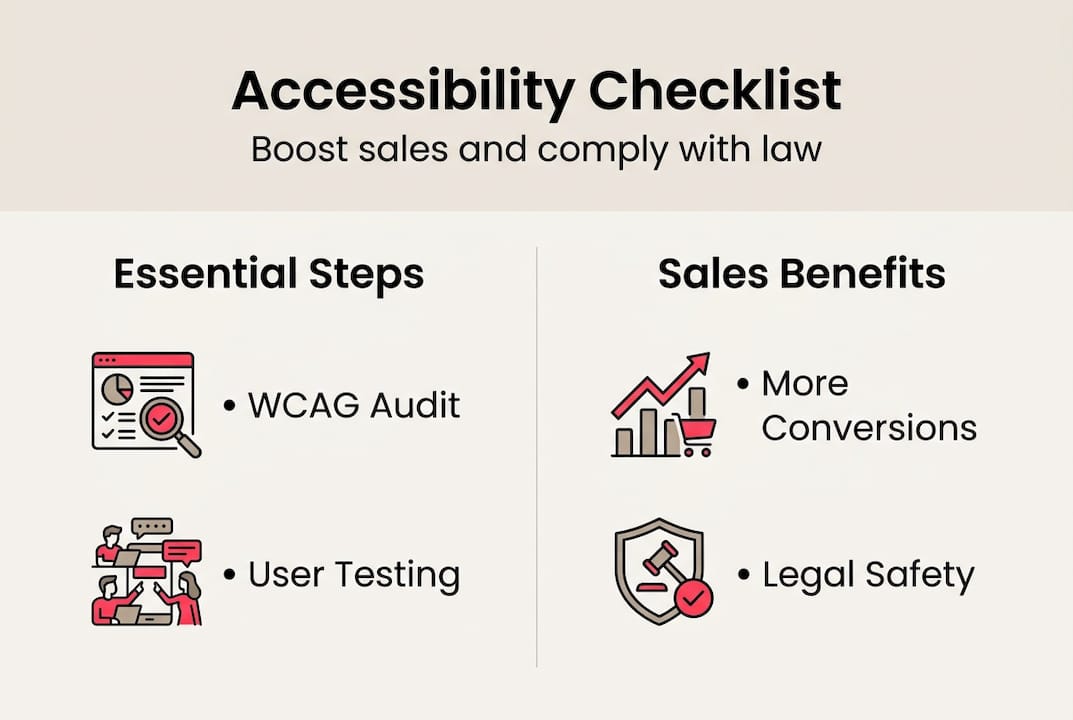
- Compliance with WCAG 2.1/2.2 AA and the Equality Act is legally essential and boosts sales.
- Ongoing testing, user feedback, and fixing high-priority issues are key for genuine accessibility.
Most UK ecommerce sites are quietly turning away customers every single day. 71% of users abandon inaccessible sites, and those lost visitors represent real, recoverable revenue. Beyond the sales impact, there is a growing legal exposure under UK and EU frameworks that many online retailers are simply not prepared for. This guide gives you a practical, step-by-step accessibility checklist built specifically for ecommerce, covering the legal essentials, the right tools, the key actions, and how to keep improving over time. If you run an online store and want fewer abandoned carts and stronger compliance, this is where to start.
Table of Contents
- Understanding the legal and business case for accessibility
- Preparation: the tools and steps before you start
- Executing your ecommerce accessibility checklist
- Verification and ongoing improvement
- The uncomfortable truth: compliance is not enough for real ecommerce results
- Take accessibility and your ecommerce to the next level
- Frequently asked questions
Key Takeaways
| Point | Details |
|---|---|
| Legal and UX essentials | Compliance with the Equality Act 2010 means aiming for WCAG AA, which also boosts user experience. |
| Use a dual approach | Combine automated tools with manual and real user testing for the best accessibility outcomes. |
| Revenue impact | Improving accessibility can significantly increase sales, conversions, and customer retention. |
| Keep iterating | Accessibility is ongoing—publish statements, gather feedback, and revisit your checklist regularly. |
| Go beyond compliance | Meeting standards is just the start; focus on real usability to include every potential customer. |
Understanding the legal and business case for accessibility
Let’s be direct: accessibility is not optional for UK ecommerce businesses. The Equality Act 2010 creates a legal duty to make reasonable adjustments for disabled users, and in practice, that means your site should meet WCAG 2.1 or 2.2 AA conformance. WCAG stands for Web Content Accessibility Guidelines, the internationally recognised standard that defines what makes a website usable for people with visual, auditory, motor, or cognitive impairments.
There is no single UK law that explicitly names WCAG, but courts and regulators treat it as the benchmark. If you sell into EU markets, the European Accessibility Act (EAA) adds further obligations, with enforcement beginning in 2025. Ignoring these UK accessibility laws is not a calculated risk worth taking, particularly as awareness and enforcement both increase.
The business case is just as compelling as the legal one. Accessible website accessibility essentials are not just about compliance boxes. Research shows that revenue increases 3-19% and conversions improve by 14-26% when ecommerce sites address accessibility properly. That is a meaningful return for changes that are often straightforward to implement.
“When a customer cannot use your checkout because of a missing label or a keyboard trap, they do not complain — they simply leave and buy elsewhere. That lost sale never shows up in your analytics as an accessibility problem.”
Here is a quick comparison of the key standards and what they mean for your business:
| Standard | Who it applies to | Key requirement | Risk of non-compliance |
|---|---|---|---|
| Equality Act 2010 | All UK businesses | Reasonable adjustments for disabled users | Legal action, reputational damage |
| WCAG 2.1/2.2 AA | UK public and private sites | Technical accessibility conformance | Complaints, enforcement, lost sales |
| European Accessibility Act | UK sellers trading in EU | Full EAA compliance by 2025 | EU market exclusion, fines |
If you want to increase ecommerce conversions, accessibility is one of the highest-leverage improvements you can make. It serves a broader audience, reduces friction for everyone, and signals to search engines that your site is well-structured and trustworthy.
Preparation: the tools and steps before you start
With clear objectives, the next step is assembling the right resources and approach. Before you open a single checklist item, you need to define your testing scope. Are you auditing your entire site, or focusing on critical user journeys such as product discovery, filtering, and checkout? Starting with the highest-traffic, highest-revenue paths is almost always the right call.
Accessibility testing works best as a combination of automated scanning and manual review. Automated tools capture 30-40% of issues, which means manual testing is not optional — it is where the real problems surface. Here are the tools we recommend:
| Tool | Type | What it checks |
|---|---|---|
| WAVE | Automated | Errors, contrast, structure |
| axe DevTools | Automated | WCAG violations in code |
| Lighthouse | Automated | Accessibility score, performance |
| NVDA / VoiceOver | Manual (screen reader) | Real-world screen reader experience |
| Keyboard-only navigation | Manual | Tab order, focus indicators, traps |
Here is a numbered preparation process to follow before running your checklist:
- Define your scope: list the pages and user flows you will test.
- Run automated scans using WAVE and axe on your priority pages.
- Review results and categorise issues by severity.
- Set up a screen reader (NVDA on Windows, VoiceOver on Mac) and navigate your site manually.
- Test keyboard-only navigation across your entire checkout flow.
- Document everything — screenshots, issue descriptions, and affected URLs.
Understanding the WCAG 2.1 guidelines POUR framework will help you organise your findings. POUR stands for Perceivable (users can see or hear content), Operable (users can navigate and interact), Understandable (content and instructions are clear), and Robust (content works across assistive technologies). Every accessibility issue maps to one of these four principles.

Pro Tip: Do not rely solely on automated scores. Run your checkout with a screen reader and keyboard only. If you struggle, your customers with disabilities will too. That direct experience is worth more than any automated report.
If you want to go deeper, we have a full guide on how to audit your website for performance and security that complements this accessibility work well.
Executing your ecommerce accessibility checklist
Having your plan, tools, and standards in place, you are ready to work through the checklist itself. This is where most teams either make real progress or get overwhelmed. Keep it structured and work through one section at a time.
Here are the core checklist items for ecommerce sites, mapped to WCAG 2.1 AA ecommerce requirements:
- Alt text for product images: Every image must have descriptive alt text. Decorative images should use empty alt attributes.
- Heading structure: Use a logical heading hierarchy (H1, H2, H3) on every page, including product pages and category listings.
- Keyboard navigation: Every interactive element — buttons, links, filters, dropdowns — must be reachable and operable by keyboard alone.
- Focus indicators: Visible focus states must appear on all interactive elements. Do not suppress the browser’s default outline without replacing it.
- Colour contrast: Text must meet a minimum contrast ratio of 4.5:1 against its background. Check sale badges, button labels, and overlay text.
- Dynamic content and ARIA live regions: When content updates without a page reload (such as cart updates or filter results), use ARIA live regions so screen readers announce the change.
- Labelled forms: Every form field must have a visible, programmatically associated label. Placeholder text alone does not count.
- Accessible authentication: Login and account creation flows must not rely solely on cognitive tests or image-based challenges without accessible alternatives.
- No keyboard traps: Users must never get stuck inside a modal, dropdown, or widget when navigating by keyboard.
Pro Tip: Your checkout is your highest-value accessibility target. A single keyboard trap or unlabelled field in the payment flow can block a purchase entirely. Fix checkout first, then work outward to product pages and navigation.
The data reinforces this focus. Research into Shopify accessibility pitfalls shows that while Shopify’s checkout is relatively robust, most product pages carry significant accessibility shortcomings. Do not assume your platform handles everything automatically.
Statistic: Studies show that 94% of top ecommerce sites fail on basics like alt text and keyboard navigation. You are almost certainly not the exception.
For a broader view of what a well-prepared store looks like before launch, our website launch checklist covers security and performance alongside accessibility.
Verification and ongoing improvement
Once you have worked through each checklist item, maintaining and validating accessibility becomes your next priority. Completing an audit is a milestone, not a finish line.
Here is a structured process for verifying and documenting your compliance:
- Compile a test summary report listing every issue found, its severity, and its WCAG success criterion.
- Fix issues in priority order: critical blockers first, then moderate issues, then minor improvements.
- Re-run automated scans and manual tests after fixes to confirm resolution.
- Publish an accessibility statement on your site detailing your current conformance level, known issues, and how users can report problems.
- Train your content and development teams so new pages and features do not reintroduce old issues.
- Schedule quarterly retests and embed accessibility checks into every future sprint or release cycle.
Easy wins for ongoing improvement include testing your site at 200% browser zoom (text and layout should remain usable), replacing image-based CAPTCHAs with accessible alternatives, and actively collecting feedback from disabled users. Real input from real people catches things no automated tool will flag.
“Passing WCAG AA is genuinely useful, but it does not mean your site is accessible. A site can be technically compliant and still be deeply frustrating to use. WCAG AA compliance is the floor, not the ceiling.”
For ecommerce specifically, pay attention to how your site behaves on mobile at larger text sizes. Our responsive design tips cover the layout and breakpoint considerations that directly affect usability for people who rely on larger text. Also review the Equality Act guidance if you need clarity on your legal obligations as you document your compliance position.
The uncomfortable truth: compliance is not enough for real ecommerce results
We have worked with enough ecommerce sites to say this plainly: ticking the WCAG AA box does not mean your customers can actually use your site. We have seen stores that pass automated scans but have checkout flows that are genuinely bewildering to navigate with a keyboard. We have seen product pages with technically correct alt text that describes nothing useful.
WCAG AA compliance is the baseline. Real real-world accessibility means testing with actual users, including people who rely on assistive technology day to day. It means caring about reading level, page speed, and the cognitive load of your navigation — not just whether your contrast ratio clears 4.5:1.
Performance matters here too. A slow-loading page is an accessibility barrier for users on low-powered devices or poor connections. Simple journeys matter. If your filter system requires twelve interactions to narrow a product list, that is a problem for everyone, but it is a serious barrier for users with motor impairments.
Commit to genuine inclusion and you will see the commercial results follow. Compliance gets you out of legal risk. Real accessibility gets you more customers.
Take accessibility and your ecommerce to the next level
If this checklist has surfaced issues you are not sure how to fix, or if you want expert eyes on your store before you commit to changes, we can help. At Big Eye Deers, we have spent over 17 years building and improving ecommerce stores on Shopify and Magento, with UX and performance built in from the start.

Whether you need a full accessibility audit, a redesign that bakes in WCAG compliance from the wireframe stage, or ongoing support to keep your store accessible as it grows, we work across Shopify ecommerce, Magento web design, and bespoke ecommerce web design projects. Get in touch and let’s make your store work for every customer.
Frequently asked questions
What are the main accessibility laws for UK ecommerce sites?
The Equality Act 2010 requires UK ecommerce businesses to make reasonable website adjustments for disabled users, with WCAG 2.1 or 2.2 AA used as the practical benchmark for compliance.
Which pages should I focus on for accessibility?
Prioritise product pages, checkout, and navigation filters first, as these are the revenue-critical paths that most directly affect conversions and sales.
Does WCAG compliance guarantee my site is fully accessible?
No. WCAG AA is the baseline standard, but ongoing testing with real users and continuous feedback are essential for genuine accessibility.
How does accessibility impact my revenue?
Improved accessibility can increase revenue by 3-19% and lift conversions by 14-26%, according to recent ecommerce studies, while also reducing support costs.
What ongoing steps should I take after my initial audit?
Maintain accessibility through regular retesting and documentation, publish a clear accessibility statement on your site, and keep your content and development teams trained on WCAG requirements.
Recommended



Adobe Commerce (Magento)
Formerly known as Magento, Adobe Commerce is built for complex catalogues, integrations, and long term growth. We design and develop stable, scalable stores that support demanding eCommerce requirements, including multi-store setups, complex pricing, and Hyva based performance improvements.

Bespoke Build
We design and build custom eCommerce platforms for businesses with complex workflows, integrations, or non standard requirements. Built from scratch around your business needs using Laravel and modern architectures.

Working with brands across the UK from our offices in Cardiff and Exeter, you deal directly with a senior team of designers and developers specialising in Shopify, Magento, WordPress and bespoke eCommerce platforms.
We focus on commercial outcomes. Better conversion rates, strong SEO foundations and eCommerce platforms that continue to improve long after launch.